前段时间给自己开发了一个婚礼请柬微信小程序,后端直接采用微信小程序的云开发能力。
项目代码:https://github.com/ahao430/wedding-miniapp
小程序码:
因为服务已经过期了,图片都看不了了,所以就放心挂出来了😁
初始化项目,测试云函数
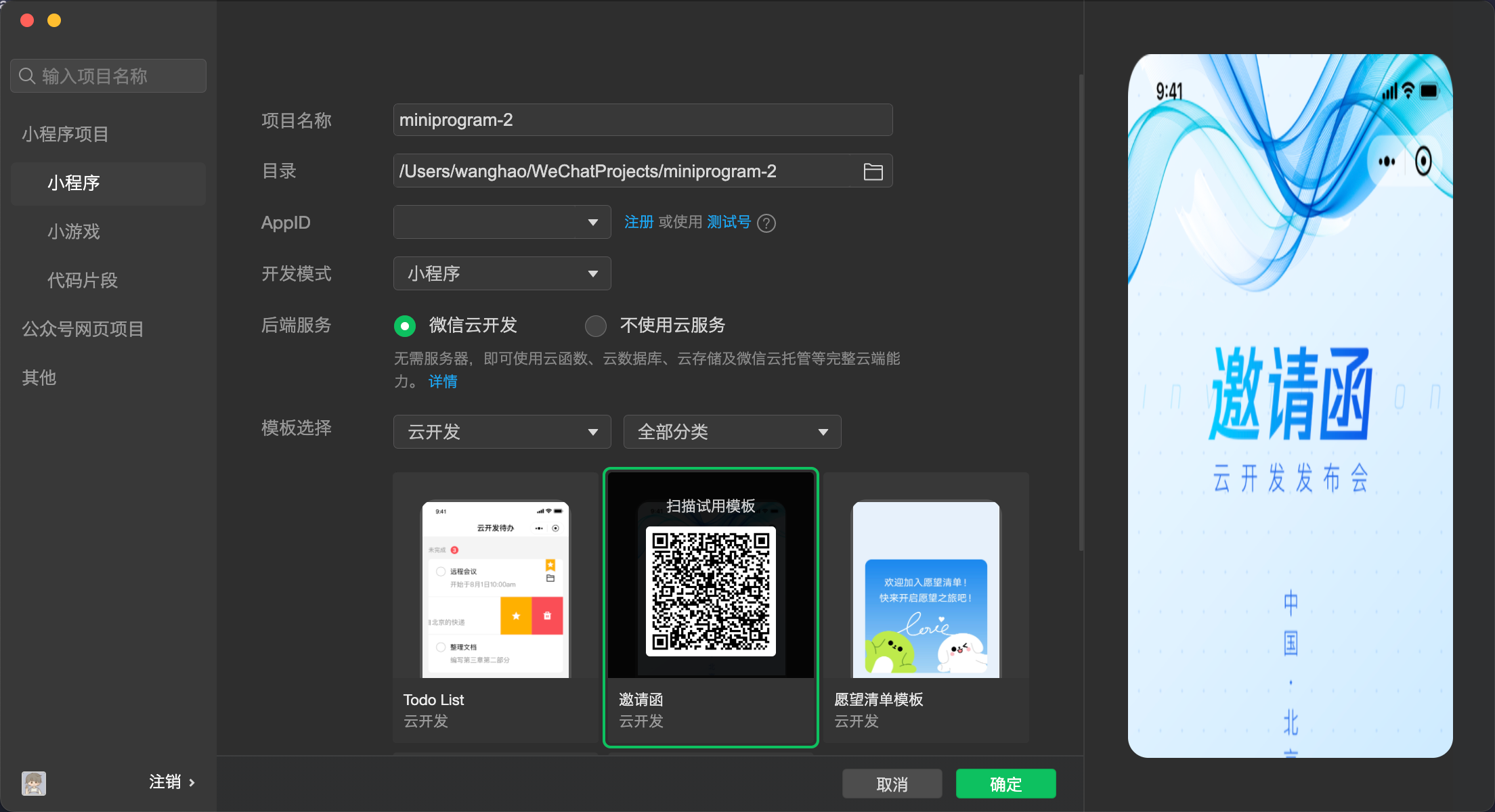
在微信小程序开发工具中,创建项目,选择微信云开发,模板选择邀请函,填写注册的appId。
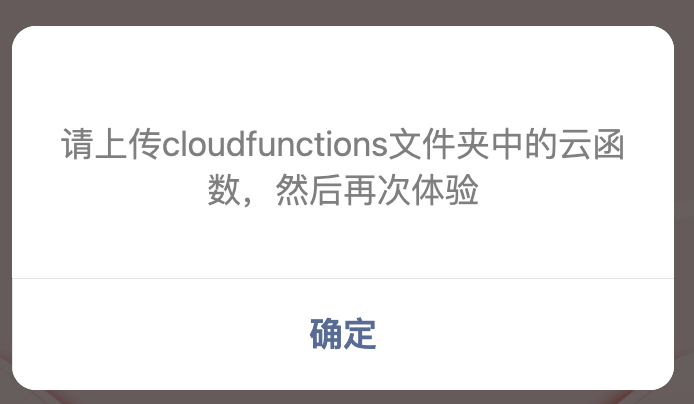
打开项目,弹出提示上传云函数。
可以看到项目代码包含cloundfunctions和miniprogram两部分。在cloudfunctions中,右键文件夹上传云函数。如果还是报错,可能是云函数的数据表在云服务上不存在,点击云开发按钮,进去查看数据库。

查看模板代码,可以看到云函数的js文件代码很简单,语法类似mongodb。然后小程序端在app.js中初始化数据库连接,传入云端的环境id,这个id可以在云开发概览查看。然后app.js中call方法封装了cloud.callFunction方法,可以请求云函数。
1
2
3
4
5
6
7
8
9
10
11
12
13
14
15
16
17
18
19
20
21
22
23
24
25
26
27
| const cloud = require('wx-server-sdk')
cloud.init({
env: cloud.DYNAMIC_CURRENT_ENV
})
const db = cloud.database()
exports.main = async (event, context) => {
try{
await db.createCollection('message')
await db.createCollection('config')
}catch(e){}
const wxContext = cloud.getWXContext()
if (event.type === 'getlist') {
const data = (await db.collection('message').get()).data
return {data}
}
if (event.type === 'xxx') {
...
}
...
return {data:false}
}
|
1
2
3
4
5
6
7
8
| const envList = [
{"envId":"cloud1-8g01fkyce74b39c8","alias":"cloud1"}
]
const isMac = true
module.exports = {
envList,
isMac
}
|
1
2
3
4
5
6
7
8
9
10
11
12
13
14
15
16
17
18
19
20
21
22
23
24
25
26
27
28
29
30
31
32
33
34
35
36
37
38
39
40
41
42
43
44
45
46
47
48
49
50
51
52
53
54
55
56
57
58
59
60
61
62
63
64
65
66
67
68
69
70
71
72
73
74
75
76
77
78
79
80
81
82
83
84
85
86
87
88
| App({
globalData: {
},
async onLaunch (e) {
this.initcloud()
},
async initcloud () {
const shareinfo = wx.getExtConfigSync()
const normalinfo = require('./envList.js').envList || []
if (shareinfo.envid != null) {
this.c1 = new wx.cloud.Cloud({
resourceAppid: shareinfo.appid,
resourceEnv: shareinfo.envid
})
this.cloud = async function () {
if (this.flag !== true) {
await this.c1.init()
this.flag = true
}
return this.c1
}
this.afterInit()
} else {
if (normalinfo.length !== 0 && normalinfo[0].envId != null) {
wx.cloud.init({
traceUser: true,
env: normalinfo[0].envId
})
this.cloud = () => {
return wx.cloud
}
this.afterInit()
} else {
this.cloud = () => {
throw new Error('当前小程序没有配置云开发环境,请在 envList.js 中配置你的云开发环境')
}
this.afterInit()
}
}
},
async call (obj) {
console.log('【发起云函数调用】', obj)
try {
const cloud = await this.cloud()
const res = await cloud.callFunction({
name: 'quickstartFunctions',
data: {
type: obj.name,
data: obj.data
}
})
console.log('【云函数调用成功】', res)
return res.result.data
} catch (e) {
console.error('【云函数调用失败】', e.toString())
wx.hideLoading()
wx.showModal({
content: '请上传cloudfunctions文件夹中的云函数,然后再次体验',
showCancel: false
})
}
},
afterInit () {
this.getConfig()
},
async getConfig () {
if (this.config) {
return this.config
} else {
const res = await this.call({
name: 'getConfig',
})
this.config = res || {}
return this.config
}
},
})
|
设计页面
这个小程序的目的是婚礼邀请,所以首要的是类似婚礼纪那样的邀请函页面,婚礼的时间地点,放几张照片,最后地址导航。
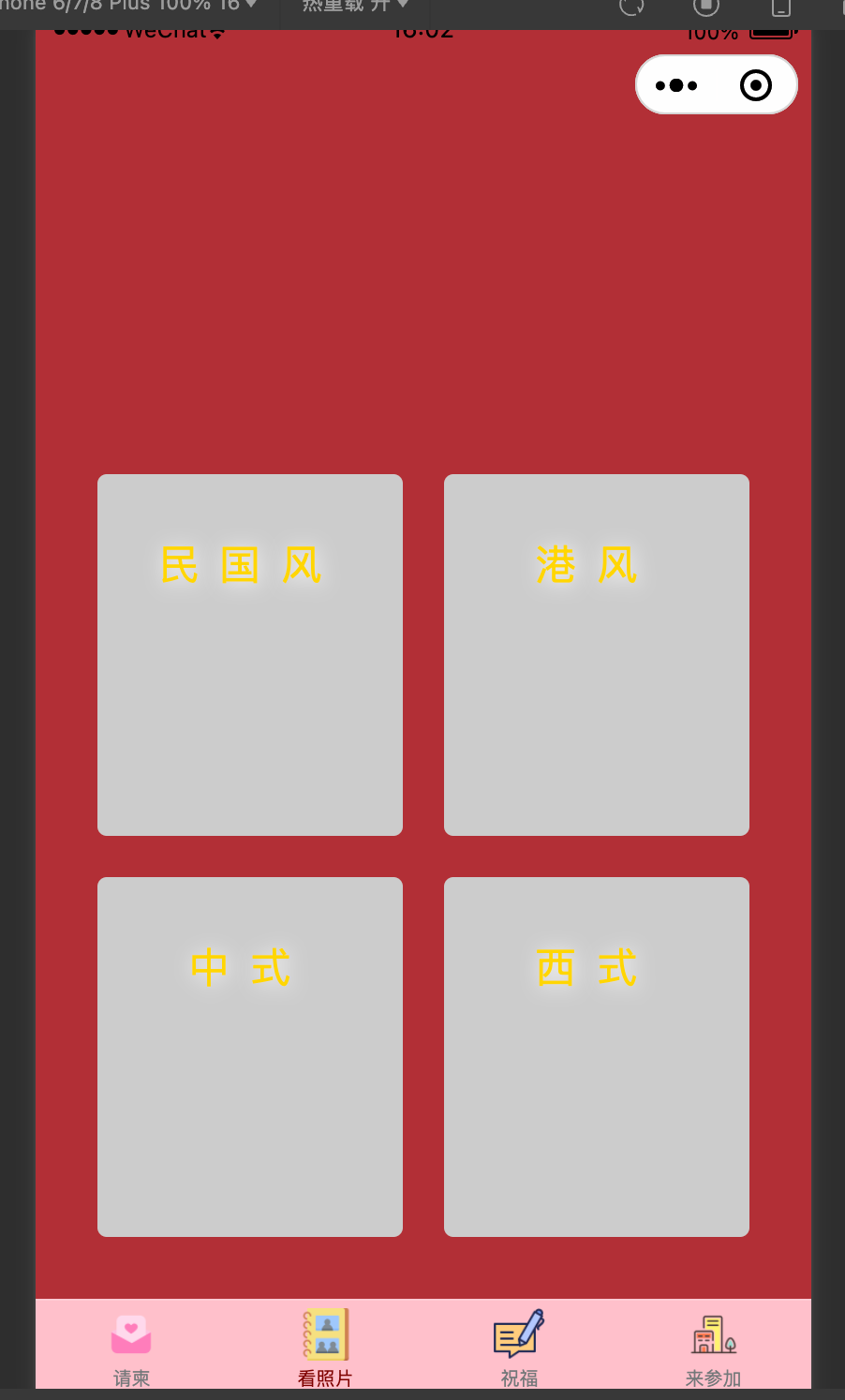
这里我分了4个tab导航。默认是请柬,第二栏专门放上了全部精修照片,第三栏给大家留言,第四栏单独把地址导航放出来。
- 请柬: 上下滚动翻页切换,请柬-照片展示-时间地点-致谢
- 照片墙:婚纱照拍了四个系列,做成四个分组入口,点击进入当前分组的瀑布流展示,点击单张唤起预览。
- 留言板:展示留言列表,下面发表留言。
- 地址:上方腾讯地图组件,下方时间地点,点击地图或按钮唤起导航。
当然最主要的问题是素材,导航栏图标我去阿里巴巴的iconfont网站下了几个。整体的一些图片素材,直接去婚礼纪扒素材了,打开一个别人发的婚礼纪请柬,在电脑端打开直接F12😄。
开发
开发这块就不多说了。主要有几点。
- 图片利用小程序的云存储能力,上传到云端,前端访问时用cloudId访问,
- 个人小程序提审,服务类型选择:生活服务 > 婚庆服务,工具 > 备忘录,工具 > 预约/报名
- 做了一个音乐播放器,放了几首歌,结果提审的时候无法过审。解决方案是加了一个配置表,上传一个config文件,做个开关。提审过后再打开开关。
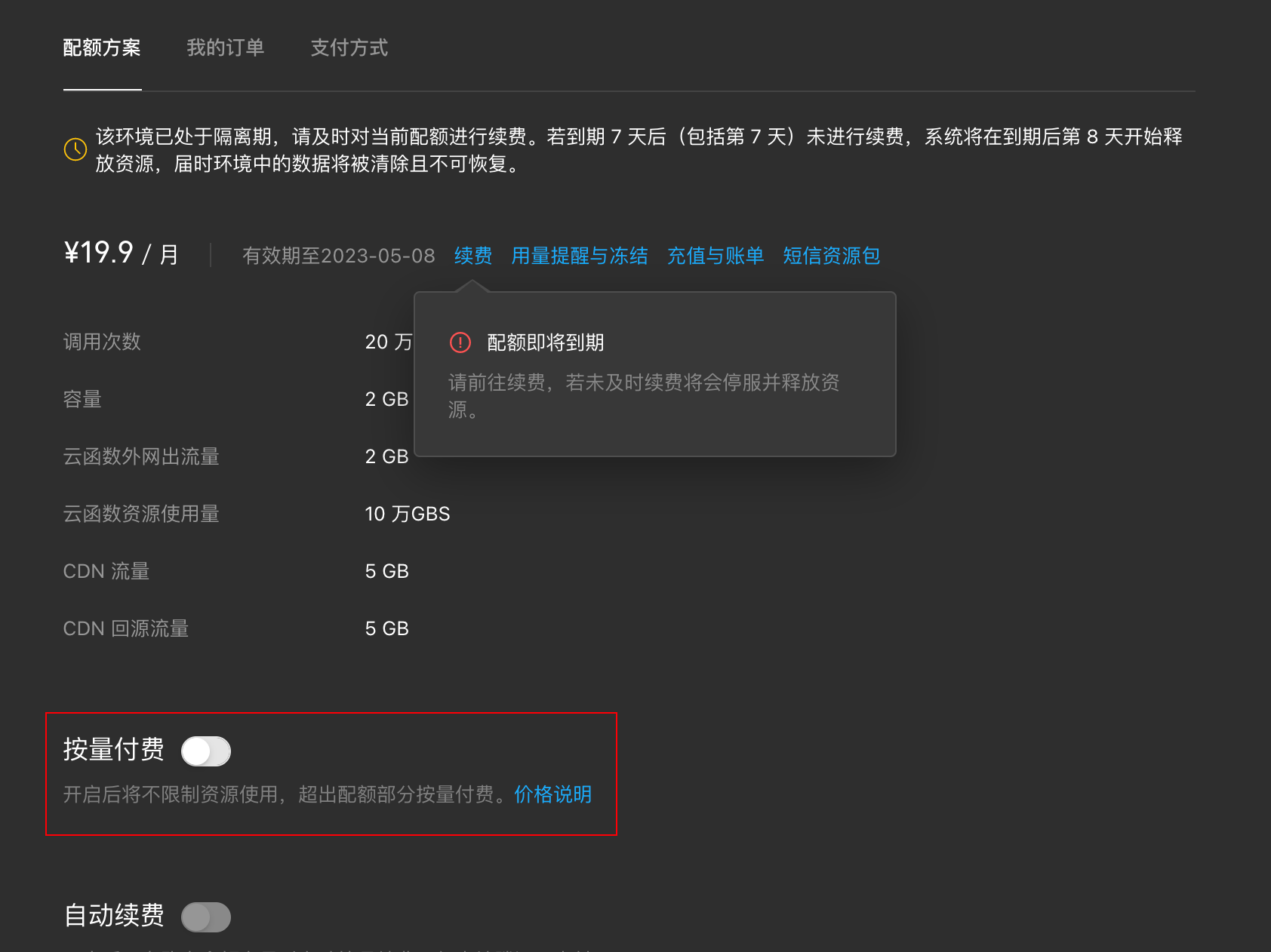
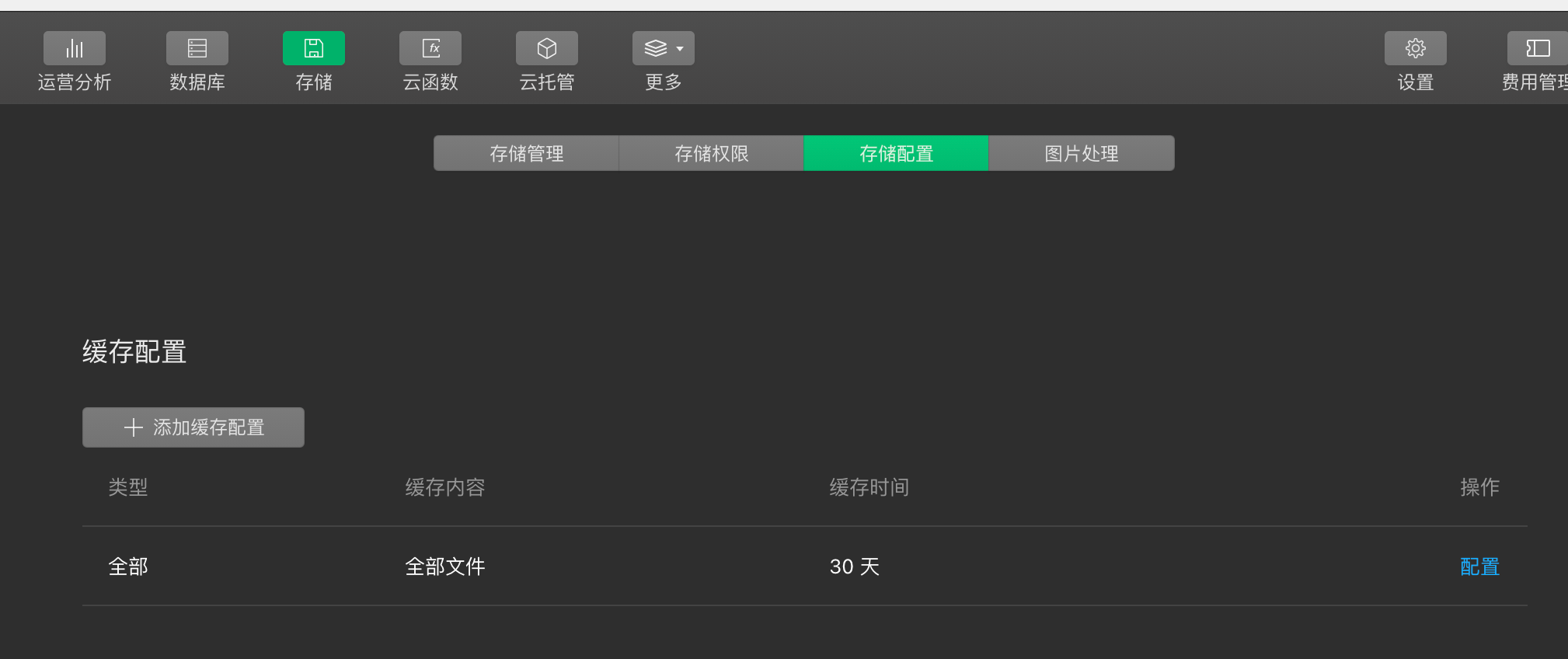
- 因为精修过得照片都很大,压缩过后也大,用着用着突然有天就图片都不加载了,上云开发后台一看是流量用完了。首先去充点钱,开启按量付费。然后去存储配置把缓存配置改成30天了。
- 另外新小程序免费额度一个月,把握好时间,我做的有点早,然后快到婚礼又续费了一个月。