小程序返回拦截实现
my.enableAlertBeforeUnload方法(2.7.17)
文档:https://opendocs.alipay.com/mini/api/my.enableAlertBeforeUnload
my.enableAlertBeforeUnload 开启小程序页面返回询问对话框。调用后,当用户尝试从小程序当前页面返回上一页面时会弹出对话框。
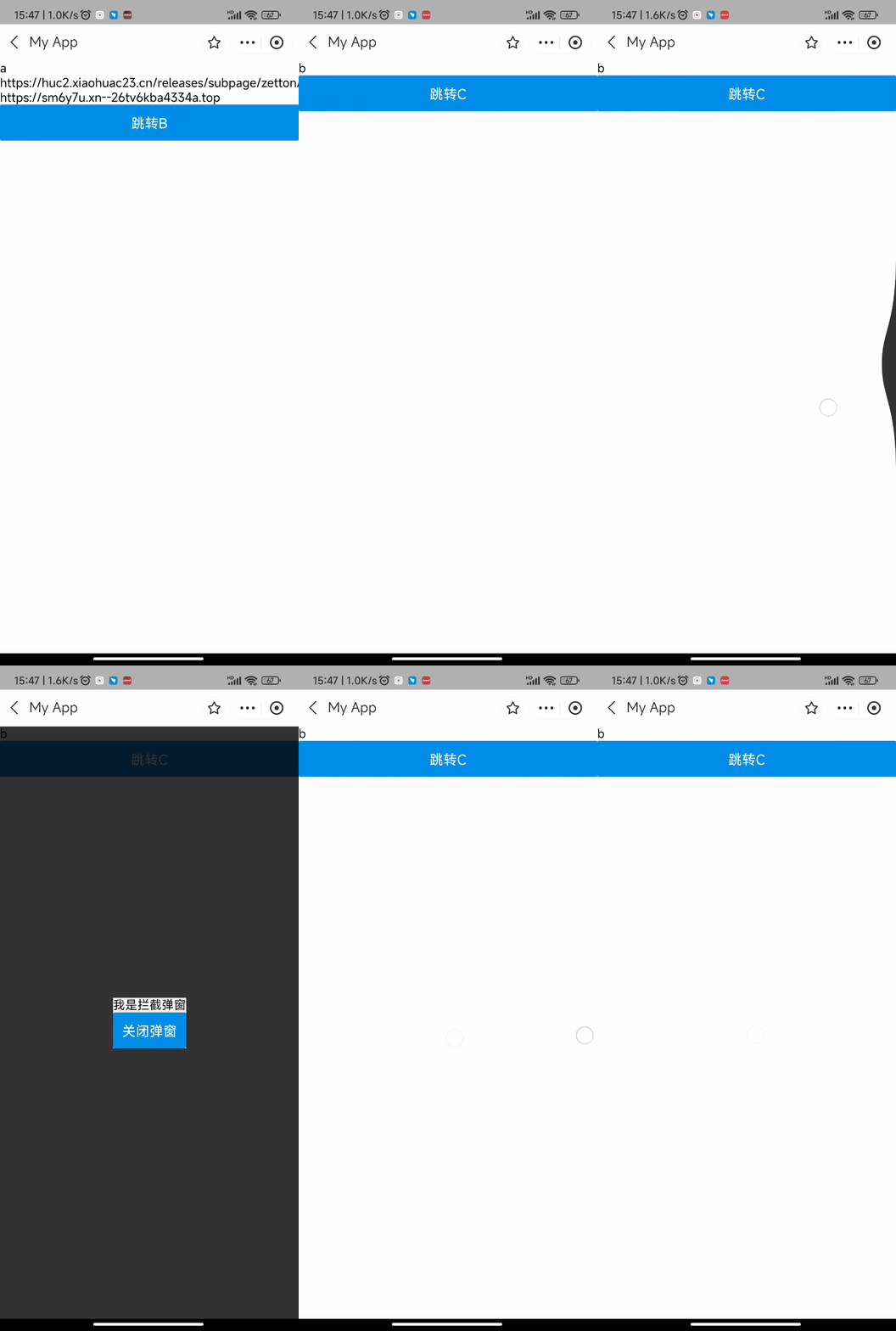
在小程序写A/B/C三个页面,A放一个跳转B按钮,B放一个跳转C按钮。
在B页面代码如下:
1 | Page({ |
看到从A到B,点击后退时,触发了下面确认弹窗,点取消留了下来,点确定离开回到A。同样的代码,放到A页面,没有拦截直接退出小程序了。
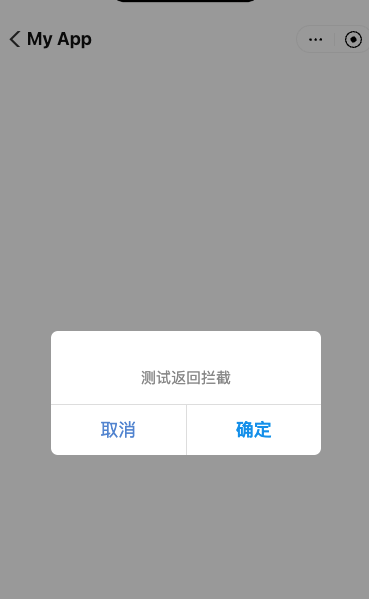
按照官方的文档,弹窗条件必须是:
- 非首页
- 只拦截后退,点home按钮和点胶囊退出不会拦截
- 不拦截手势,真机测试发现,安卓会拦截,ios不会拦截
PageContainer组件(2.8.0)
文档:https://opendocs.alipay.com/mini/04ne6j
page-container页面容器是类似popup的一个假页面组件,当用户后退时,不退出页面,而是触发page-container弹出展示,当用户再次后退,才是真的后退。
利用page-container,我们可以实现自定义返回窗,并且在用户再次后退前,可以异步进行请求。
限制条件如下:
- 页面只能有一个page-container
- 只能拦截一次。
组件接收一个show入参,官方示例是默认show为false,点击按钮触发弹层。然后后退的时候关闭弹窗而非退出页面,符合一般用户的预期。这也是正常的使用场景。
利用page-container做返回拦截
但是我们把这个组件拿来做返回拦截的话,默认的show就不能是false了,否则直接后退根本不会触发。设置为true,发现进来页面直接看到一个灰色遮罩,后退一次遮罩关闭。这里,我们可以让这个page-container隐藏起来,实现返回拦截效果。给page-container加上style=”display: none”,页面正常展示,滑了两次才退出。
拦截的时候我们还是要展示自定义弹窗的,不能什么都不做只拦截。写一个自定义弹窗,默认隐藏,再在page-container的钩子置为展示。
1 | <view class="page"> |
1 | Page({ |
实测,进入B页面正常,后退时触发弹窗。再次后退退到A。IOS左滑也可以拦截。
再把这套代码放到A页面,也可以成功拦截。
对比下拉,显示方法2更好。
| my.enableAlertBeforeUnload | page-container | |
|---|---|---|
| 拦截次数 | 不限 | 一次 |
| 页面 | 非首页 | 任意页面 |
| 手势拦截 | 安卓支持,ios支持 | 支持 |
| 自定义 | 不支持 | 支持 |
| 异步 | 不支持 | 支持 |
不限次数拦截
page-container只能拦截一次,怎么样每次都拦截呢。用a:if来销毁page-container,稍后重新创建,测试有效。
1 | <page-container a:if="{{flag}}" |
1 | onBeforeLeave(res) { |
这样,page-container就能完美实现我们的要求了。不限次数、任意页面、支持手势、支持自定义样式。
不过page-container每个页面只能有一个,如果需求要实现原生的那种点击按钮展示弹窗,滑动关闭弹窗,需要稍微麻烦一点来实现了。弹窗的同时,要销毁我们这个返回拦截的page-container,关闭弹窗,再创建一下。