在小程序实现一个transition组件,实现类似vue和react的transition的过渡效果。

分析

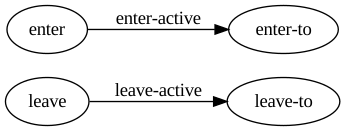
vue的transition是接收一个name,以这个name在过渡的几个阶段生成不同的class。然后对这几个class设置相应的css3的transition或animation动画,来实现显示和隐藏的过渡动画。

这样,我们就可以先设置初始状态(enter, leave),再在下一次渲染阶段执行相应的active来触发开始的动画。再在transitionEnd或者animationEnd时执行enter-to和leave-to来触发结束动画,达成最终状态。

另外,小程序中无法获取this.props.slots或者this.props.children,所以我们可以直接将组件的显示和隐藏状态做为参数传递进来。但是为了显示动画,不能立刻改变状态,要等待动画完成。

实现

1
2
3
4
5
<view class="my-transition {{name}} {{name}}-{{step}}" onTransitionEnd="onTransitionEnd" onAnimationEnd="onAnimationEnd">
<block a:if="{{realShow}}">
<slot></slot>
</block>
</view>

这里不考虑同时使用transition和animation的情况,简单的在onTransitionEnd和onAnimationEnd执行相同的操作。

1
2
3
4
5
6
7
8
9
10
11
12
13
14
15
16
17
18
19
20
21
22
23
24
25
26
27
28
29
30
31
32
33
34
35
36
37
38
39
40
41
42
43
44
45
46
47
48
49
50
51
52
53
54
55
56
57
58
59
60
61
62
63
64
65
66
67
68
69
70
71
72
73
74
75
76
77
Component({
data: {
realShow: false,
step: '',
},
props: {
show: false,
name: '',
},
didUpdate (prevProps) {
if (this.props.show && !prevProps.show) {
this.beforeShowEl()
} else if (!this.props.show && prevProps.show) {
this.beforeHideEl()
}
},
methods: {
beforeShowEl () {
console.log('enter')
this.setData({
step: 'enter',
}, () => {
this.setData({
realShow: true,
}, () => {
console.log('enter-active')
this.setData({
step: 'enter-active',
})
})
})
},
showEl () {
console.log('enter-to')
this.setData({
step: 'enter-to'
})
},
beforeHideEl () {
console.log('leave')
this.setData({
step: 'leave'
}, () => {
console.log('leave-active')
this.setData({
step: 'leave-active',
})
})
},
hideEl () {
console.log('leave-to')
this.setData({
step: 'leave-to',
}, () => {
this.setData({
realShow: false,
})
})
},
onTransitionEnd () {
this.refresh()
},
onAnimationEnd () {
this.refresh()
},
refresh () {
switch (this.data.step) {
case 'enter-active':
this.showEl()
break
case 'leave-active':
this.hideEl()
break
}
},
},
})

使用

对全局弹窗组件做改造,引入transition组件。

1
2
3
4
5
6
7
8
9
<!-- 首页普通弹窗或渠道弹窗 -->
<transition show="{{isPopupShow}}" name="common-popup" a:if="{{type === 'popup'}}">
<view class="popupView" onTap="handleClosePopup">
<view class="btn-close">
<image class="btn-close-img" src="/static/images/btn-popup-close.png"></image>
</view>
<image class="popup-img" mode="widthFix" catchTap="handleGoPopupUrl" src="{{popupData.mcImage}}"/>
</view>
</transition>

在less文件中编辑对应的几个class状态。

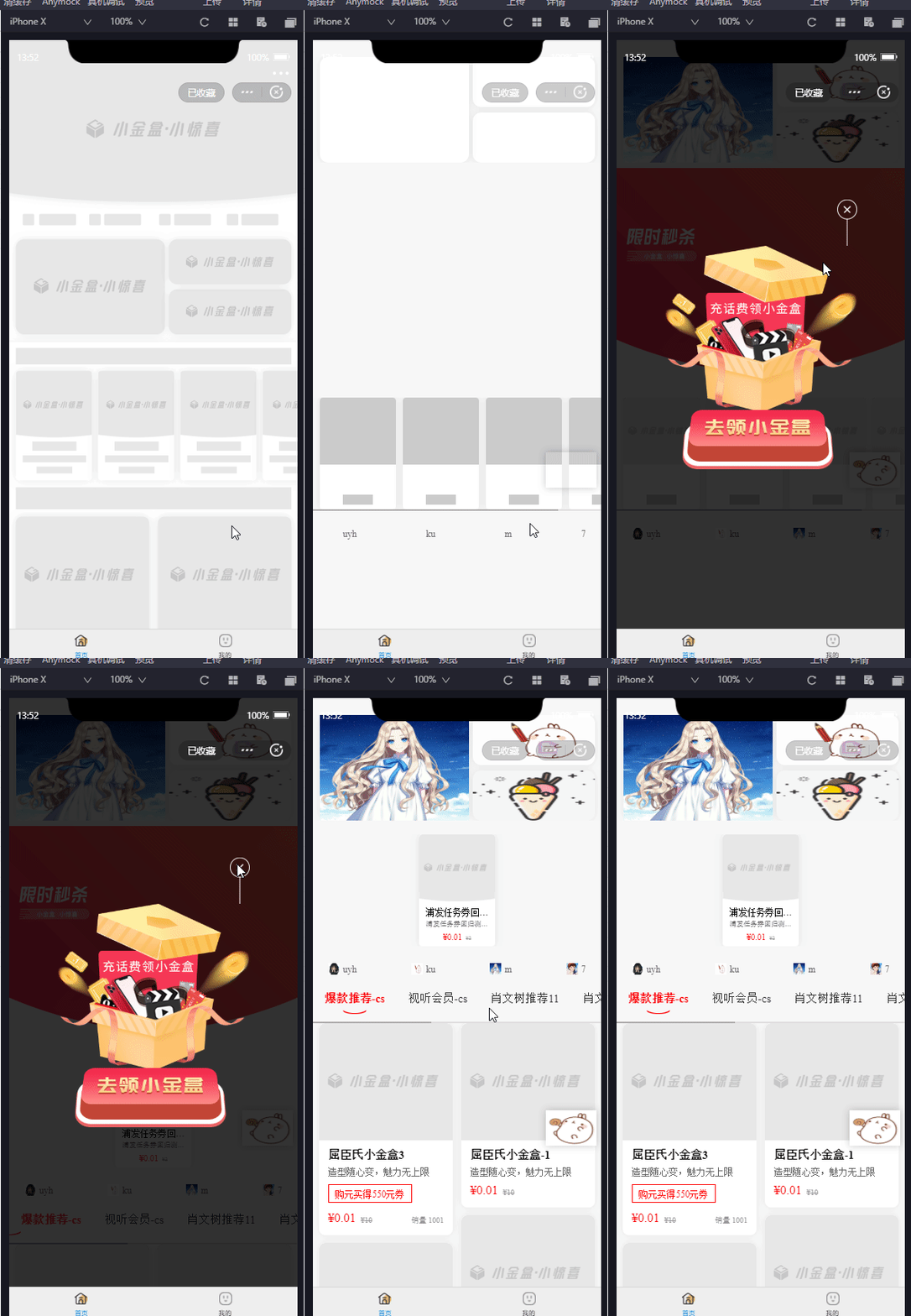
这里我们设置translateY控制弹窗从上向下出现,向上消失。并未出现效果,发现是因为transition设置了translateY,但是内部弹窗是fix定位。将translateY放在弹窗组件上可以了,但是又不触发transition组件的onTransitionEnd监听了。所以这里我对transition组件和弹窗组件同时设置了transition动画,成功。

1
2
3
4
5
6
7
8
9
10
11
12
13
14
15
16
17
18
19
20
21
22
23
24
25
26
27
28
29
30
31
32
33
34
35
36
37
38
39
40
41
42
43
44
45
46
47
48
49
.common-popup-enter{
transition: all linear 0s;
opacity: 0.9;
.popupView{
transition: all linear 0s;
transform: translateY(-100vh);
}
}
.common-popup-enter-active{
transition: all linear 0.3s;
opacity: 0.95;
.popupView{
transition: all linear 0.3s;
transform: translateY(-100vh);
}
}
.common-popup-enter-to{
opacity: 1;
transition: all linear 0.3s;
.popupView{
transform: translateY(0);
transition: all linear 0.3s;
}
}

.common-popup-leave{
opacity: 1;
transition: all linear 0s;
.popupView{
transform: translateY(0);
transition: all linear 0s;
}
}
.common-popup-leave-active{
opacity: 0.95;
transition: all linear 0.3s;
.popupView{
transform: translateY(-100vh);
transition: all linear 0.3s;
}
}

.common-popup-leave-to{
opacity: 0.9;
transition: all linear 0.3s;
.popupView{
transform: translateY(-100vh);
transition: all linear 0.3s;
}
}